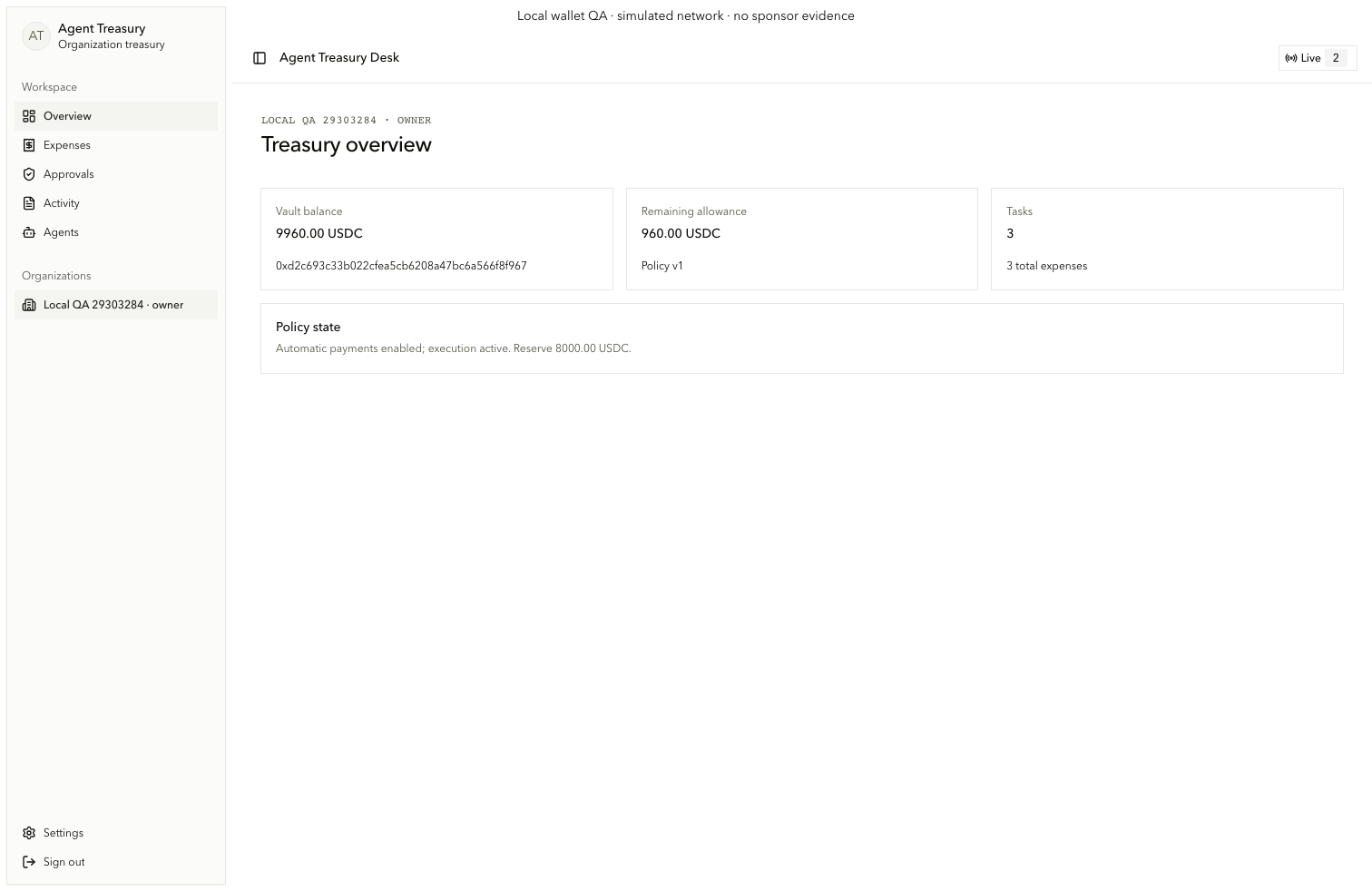
Navigation and treasury overview
Read organization authority, budget, tasks, and policy state.
Last updated: 9/10/2026
Read the workspace context
Every financial screen stays scoped to the authenticated organization and role.
Choose a destination
Use Overview, Expenses, Approvals, Activity, Agents, and Settings (consumer.nav.*). On small screens, open Toggle Sidebar (consumer-navigation-toggle).
Confirm the organization
Use the organization selector (consumer.nav.organization) only to switch among memberships visible to the current account. The heading names the selected organization and current role.
Read treasury state
Vault balance shows the verified vault or configuration notice. Remaining allowance includes the synchronized policy version. Tasks reports active and total expenses. Policy state reports automatic payments, pause, reserve, and synchronization status.